

Delete note
1. Overview
The Delete feature allows you to quickly remove a note from the system when it's no longer needed. This tool helps you maintain a clean workspace and avoid storing irrelevant or outdated content.
2. How to Use
-
Identify the note to delete: Go to your list of notes or open the specific note you want to delete.
-
Click the
More** button** (⋯) at the top-right corner of the interface. -
Select
Deletefrom the dropdown options.
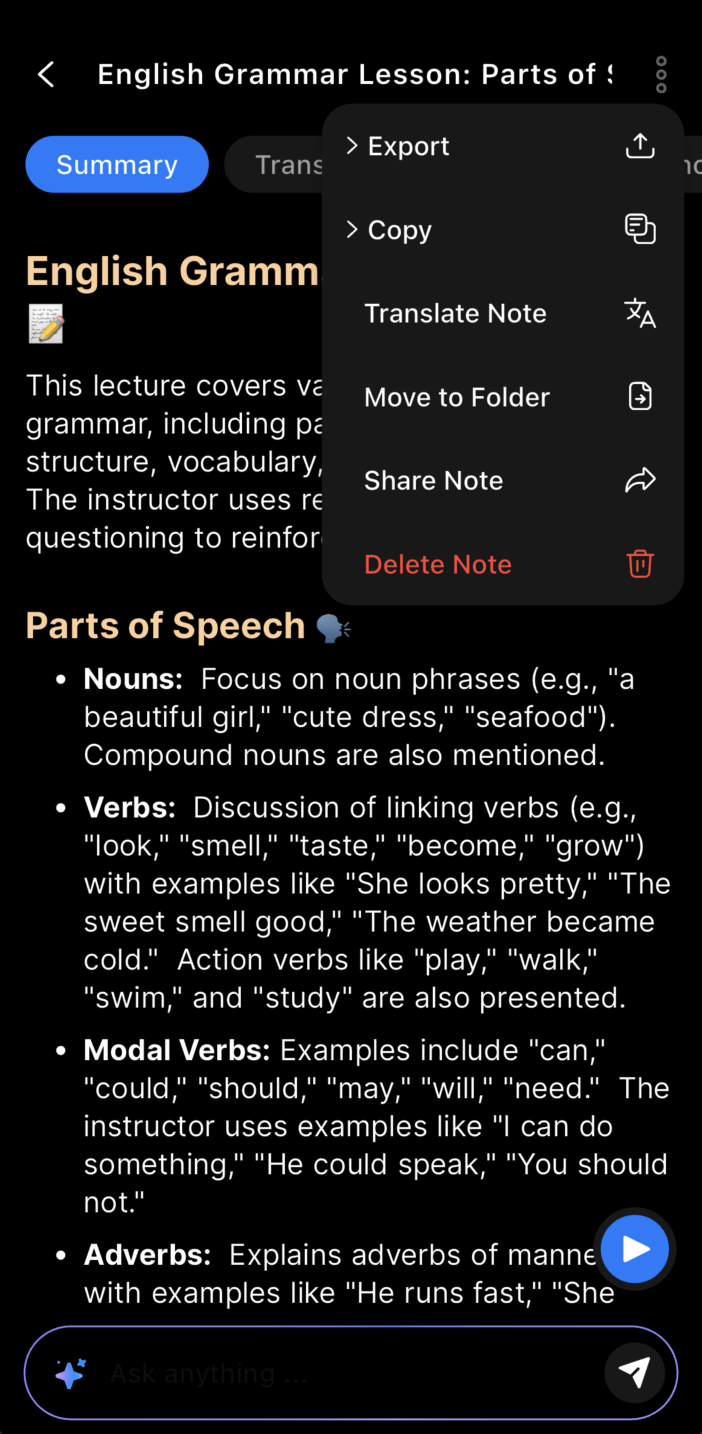
Tap Delete to erase the note
- Click
Delete** in the confirmation dialog** to complete the action.
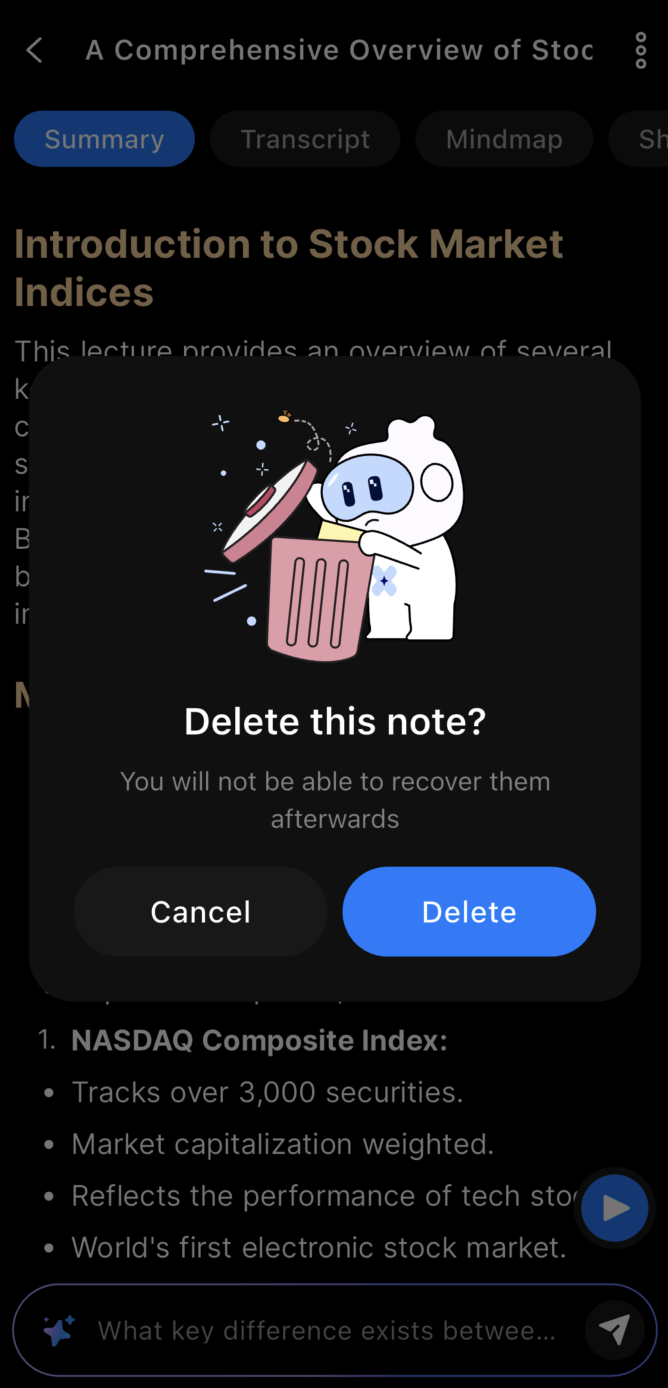
Confirm to delete the note
3. Benefits
-
Quick cleanup: Remove unnecessary notes to stay focused on important content.
-
Avoid clutter: Keep your notes organized and easy to navigate.
-
Full control: You decide what stays and what gets removed from your workspace.
4. Notes
- Once deleted, a note cannot be recovered – make sure you want to delete it before confirming.
5. FAQ
What happens when I delete a note?
The note is permanently removed from the system and cannot be recovered.
How do I delete a note?
Open the note or locate it in your note list, click the More button (⋯), select Delete, then confirm the deletion.
Can I undo a delete?
No, once deleted, the note cannot be restored. Be sure before confirming.
Does deleting a note affect other users?
No, deleting a note only removes it from your personal workspace.
Is there a way to archive instead of deleting?
Currently, only full deletion is supported. Archiving is not available.
What if I accidentally delete a note?
Since there is no undo, you would need to recreate the note manually.
Can I delete multiple notes at once?
Bulk deletion depends on the app version. Please check if your interface supports multi-select delete.
Are deleted notes removed immediately?
Yes, after confirmation, the note is removed right away.
Will deleting a note remove associated summaries or transcripts?
Yes, all data linked to the note will be deleted as well.
What should I do if delete does not work?
Try refreshing the page or restarting the app. Contact support if the issue persists.