

AI Assistant (Nova Agent)
Nova Agent is the built-in AI assistant in NoteX that understands and analyzes your entire note workspace. Instead of spending hours reviewing documents, you can chat with Nova to instantly extract information or quickly find notes through AI-powered search.
1. Nova Agent What is it? When should you use it?
Common use cases:
- Action Management:
- List to-do items
- Track unresolved issues or recall decisions made during meetings (Decision recall).
- Knowledge Management:
- Summarize lecture content, extract figures/citations, or synthesize knowledge from multiple sources (Cross-source synthesis).
- Analytics & Reporting:
- Automatically generate weekly reports
- Analyze workload or identify planning gaps (Gap detection).
- Personal Reflection:
- Rediscover past ideas or generate insights from your work journal.
2. How to use Nova Agent (Step-by-Step)
Chat with a Single Note (Nova chat with 1 Note)
Use this when you want to focus on a specific note, such as a meeting you just finished.
- Open the note you want to work with.
- Launch Nova: Click the chat bar at the bottom of the screen.
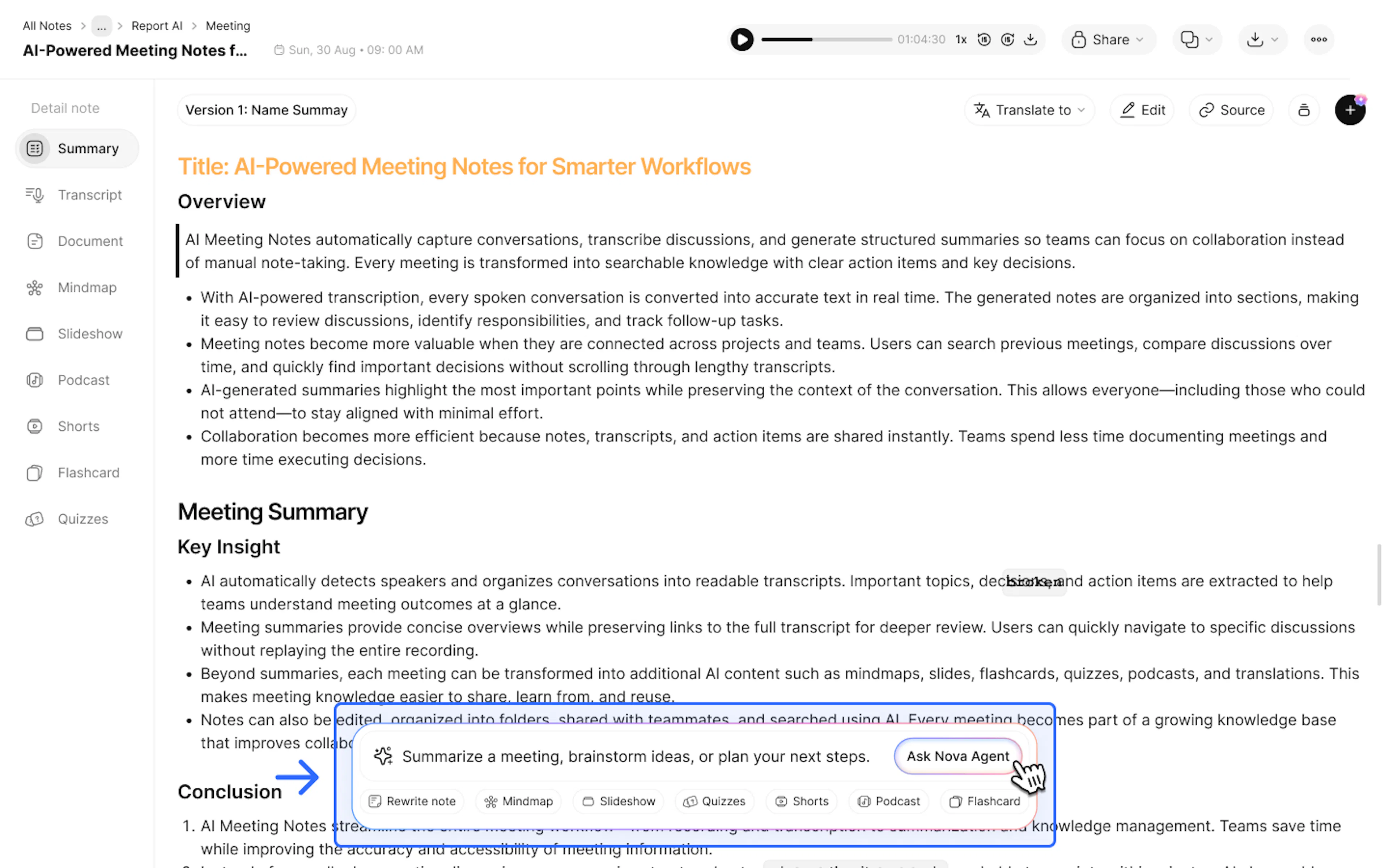
- Ask a question: Enter a question related to that specific note.
- Example: "Summarize John's action items from this meeting, including deadlines."
In addition to typing your own questions, you can quickly choose preset actions such as Action Item, Email, Blog Post, and more below the input box for instant AI generation.
Chat with All Notes (Nova chat with all Notes)
Use this when you need a broader view or want to connect information across multiple notes.
- On the main** "Home"** screen, click Nova Agent in the bottom-right corner.
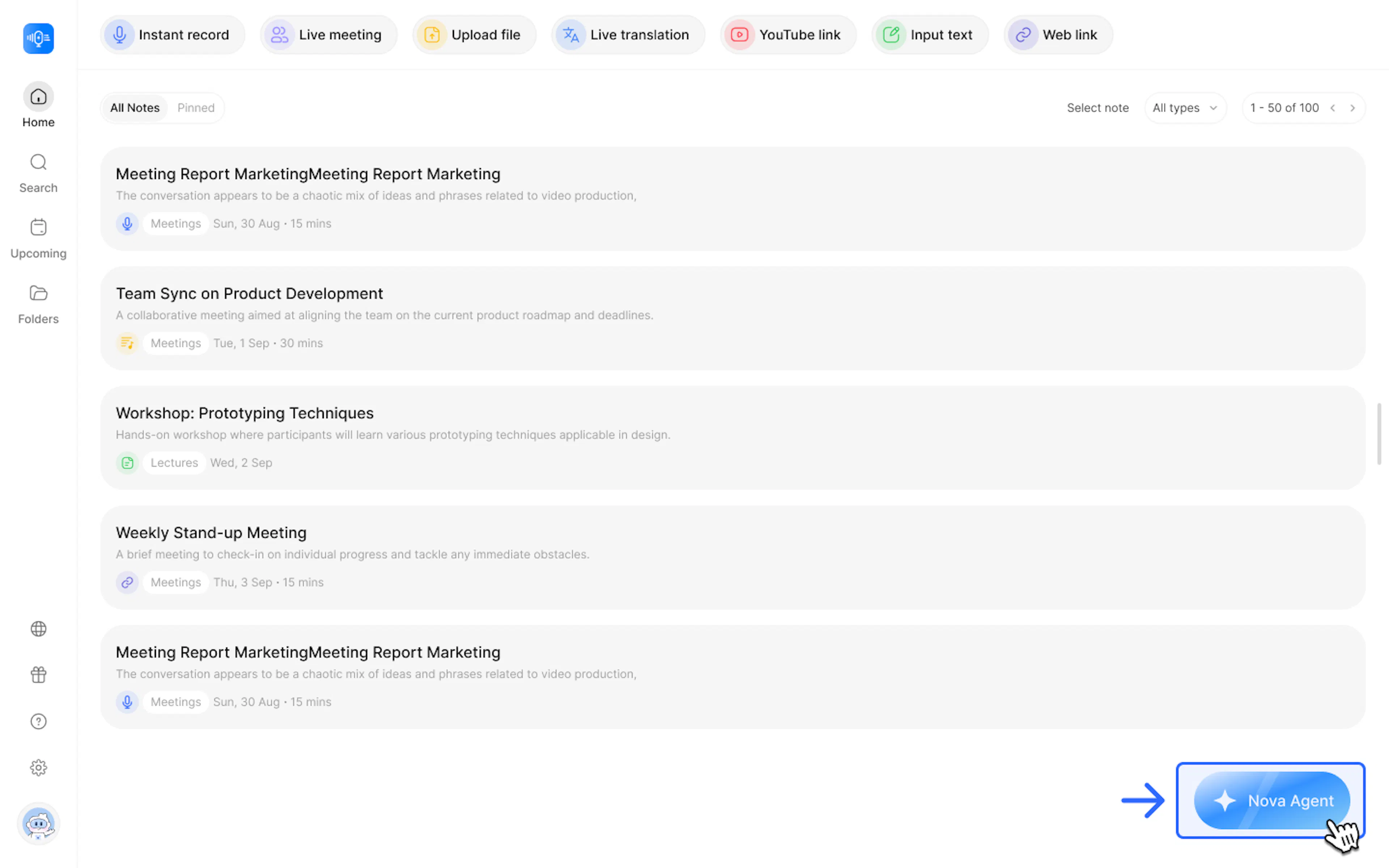
- Choose a suggestion or enter your own prompt: You can select one of the suggested prompts or type your own request. Example: "Find my latest marketing notes."
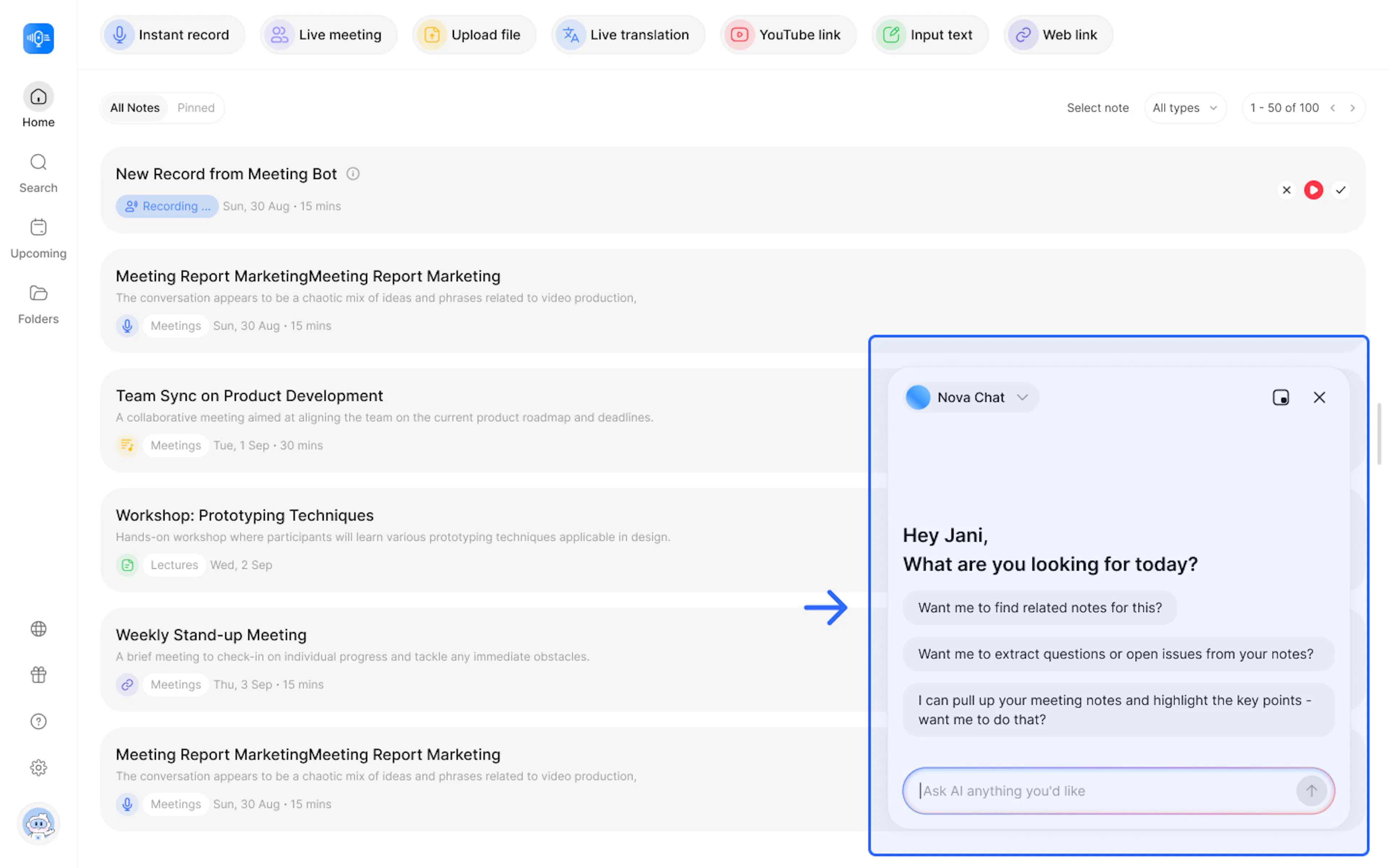
- Ask cross-note questions: Enter prompts that require AI to connect information from multiple notes.
- Example: "Based on my notes from the past month, what topics were discussed most frequently?" or "Create a weekly digest report including completed tasks, decisions made, and outstanding issues."
Tip: You can resize the chat window to make working with Nova Agent more convenient.
3. Source Citation
Source Citation allows Nova Agent to show exactly which note each piece of information comes from when answering your questions. This helps managers and team members instantly verify information without manually searching through notes.
Common use cases:
- Data Verification: Confirm the source of a number, statement, or important decision in a report.
- Context Retrieval: Click the cited source to review the full context behind the referenced information.
4. FAQ: Frequently Asked Questions & Edge Cases
Q: What happens if two notes contain conflicting information?
A: You can use the Conflict Detection feature. Ask, "Are there any conflicts between the Marketing and Development decisions in this week's notes?" Nova will identify and list the differences for comparison.
Q: Is there a limit to how many notes Nova can summarize?
A: Nova can process a large amount of information. However, for the best results, it's recommended to narrow the scope, for example, "during the past week" or "my 5 most recent notes."
5. Contact Us
If you experience any issues while using NoteX, our support team is ready to help:
- Product Support & Bug Reports: support@notexapp.com
- Partnerships & General Inquiries: hello@notexapp.com