

Multi-Format Note Creation (pdf, doc, mp4,...)
This solution helps you gather, transform, and summarize information from various formats into actionable notes.
1. Use Cases:
- Sales & Business Professionals: Summarize content from YouTube seminars, industry Podcasts, or recorded customer call files.
- Operation Managers: Digitalize operations documents (PDF/Docx), compile meeting minutes from audio files, and process large amounts of raw text to quickly extract key ideas.
2. Step-by-Step Guide
Step 1: On the Main Screen (Home), Select Data Source
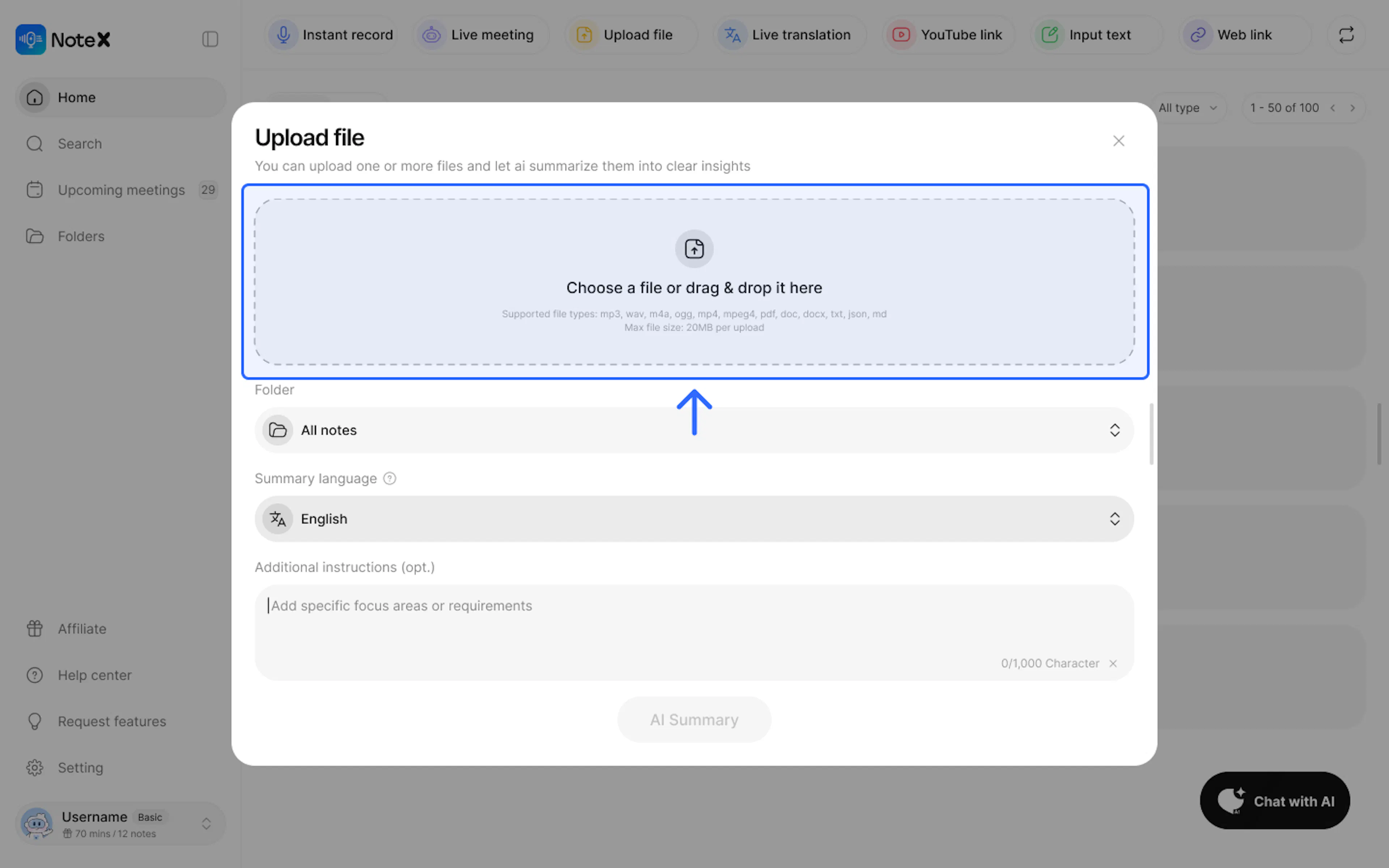
- Upload files: Upload one or multiple document files (PDF, DOCX, TXT...) or audio/video files (MP3, WAV, M4A, MP4...). Maximum limit: 20MB per file.
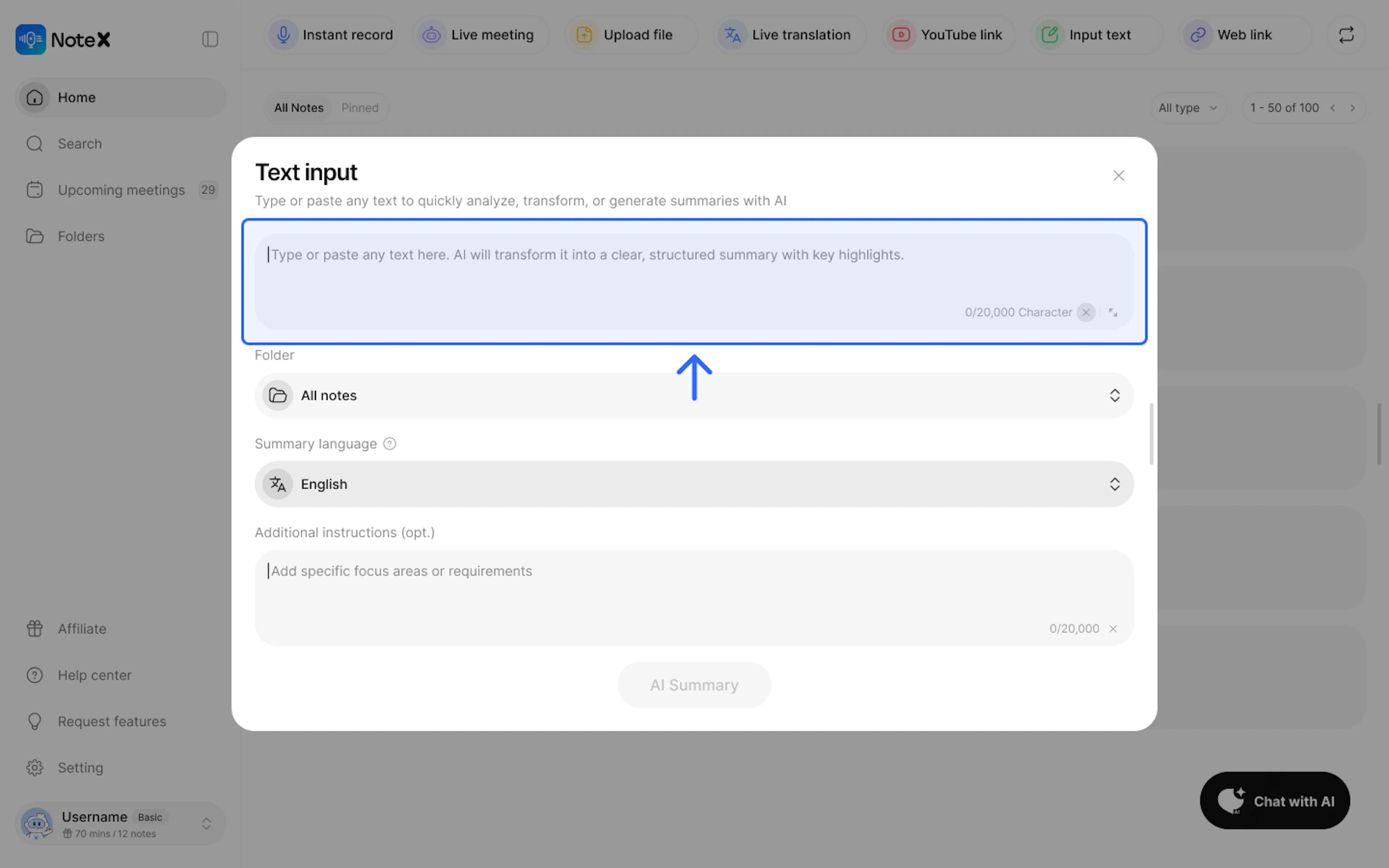
- Input text: Directly paste raw text or handwritten notes into the blank box (up to 20,000 characters).
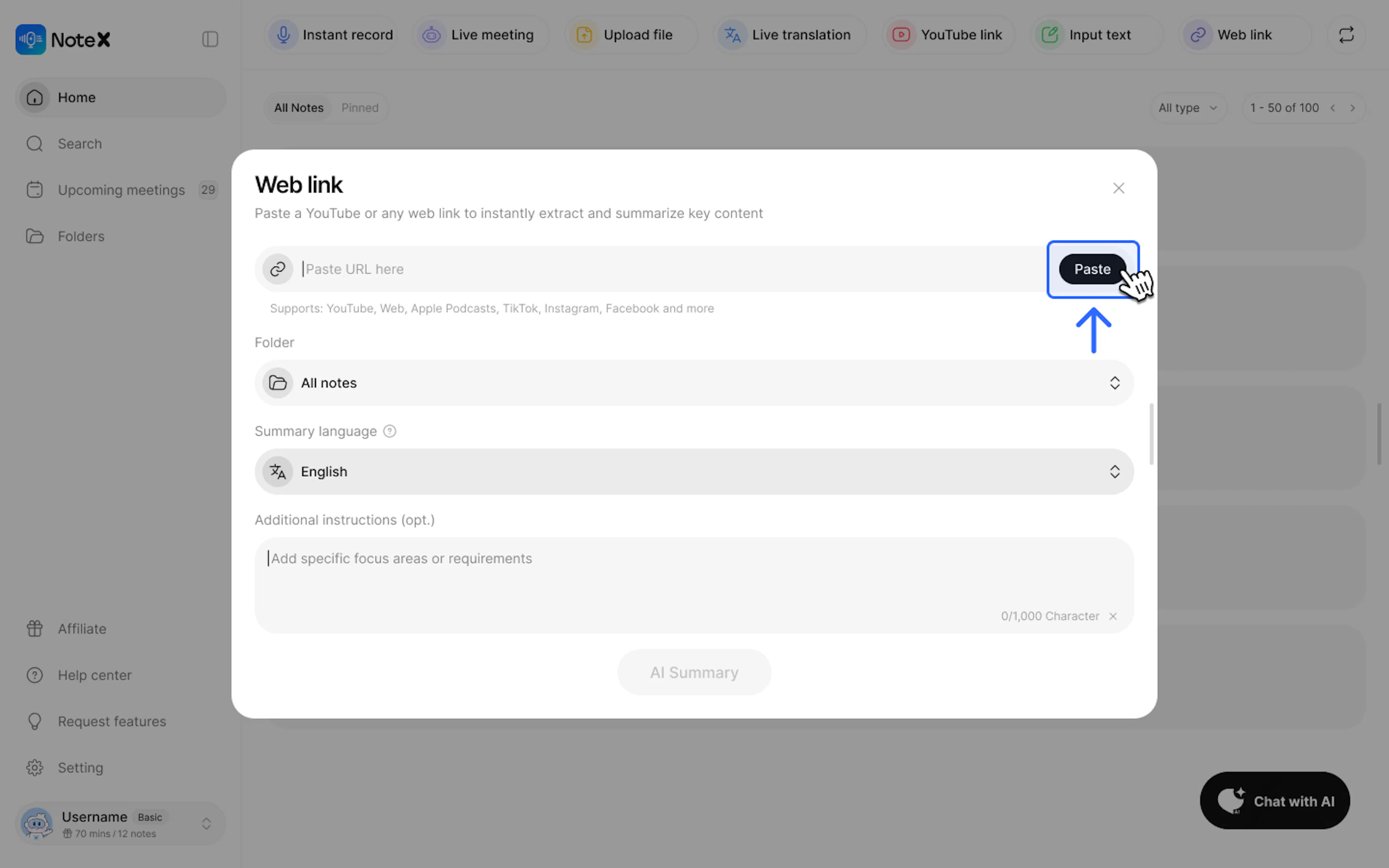
- Web link: Paste links from YouTube, Apple Podcasts, TikTok, or news websites.
Step 2: Configuration Setup
- Folder: Select the destination folder (defaults to All Notes).
- Summary language: Select the language you want the AI to output your notes in (e.g., English or Vietnamese).
- Additional Instructions (Optional): Enter specific requests for the AI to better understand the context (e.g., "Write in bullet points", "Extract key milestones").
Step 3: Completion
Click the AI Summary button for the system to start processing and automatically generate your notes.
3. Frequently Asked Questions (FAQ)
Q: What file formats does the system support?
- NoteX supports most popular formats: MP3, WAV, M4A, OGG, MP4, MPEG4, PDF, DOC, DOCX, TXT, JSON, and MD.
Q: What is the upload file size limit?
- The maximum file size for each uploaded document is 20MB. For audio, the total duration limit is 06 hours.
Q: Can I summarize content in another language?
- Yes. You can select the output language in the Summarize Language section regardless of the document's original language.
Q: What should I do if I lose my note data?
- Please check the web version (if available) to see if the data is still there. Which device and app version are you using? Did the issue occur after a specific action? (e.g., logging out, updating the app, changing devices...)? Contact us immediately so we can provide timely support.
4. Contact Support
If you need any further assistance, please do not hesitate to contact us via:
- Product support & bug reports: support@notexapp.com
- Partnerships & general inquiries: hello@notexapp.com
Was this page helpful?