

Flashcards
Store and review important terms, definitions, or technical specifications.
1. Step-by-Step Creation Guide:
- Select the Flashcards tab on the left sidebar of your note.
- Click Create flashcards
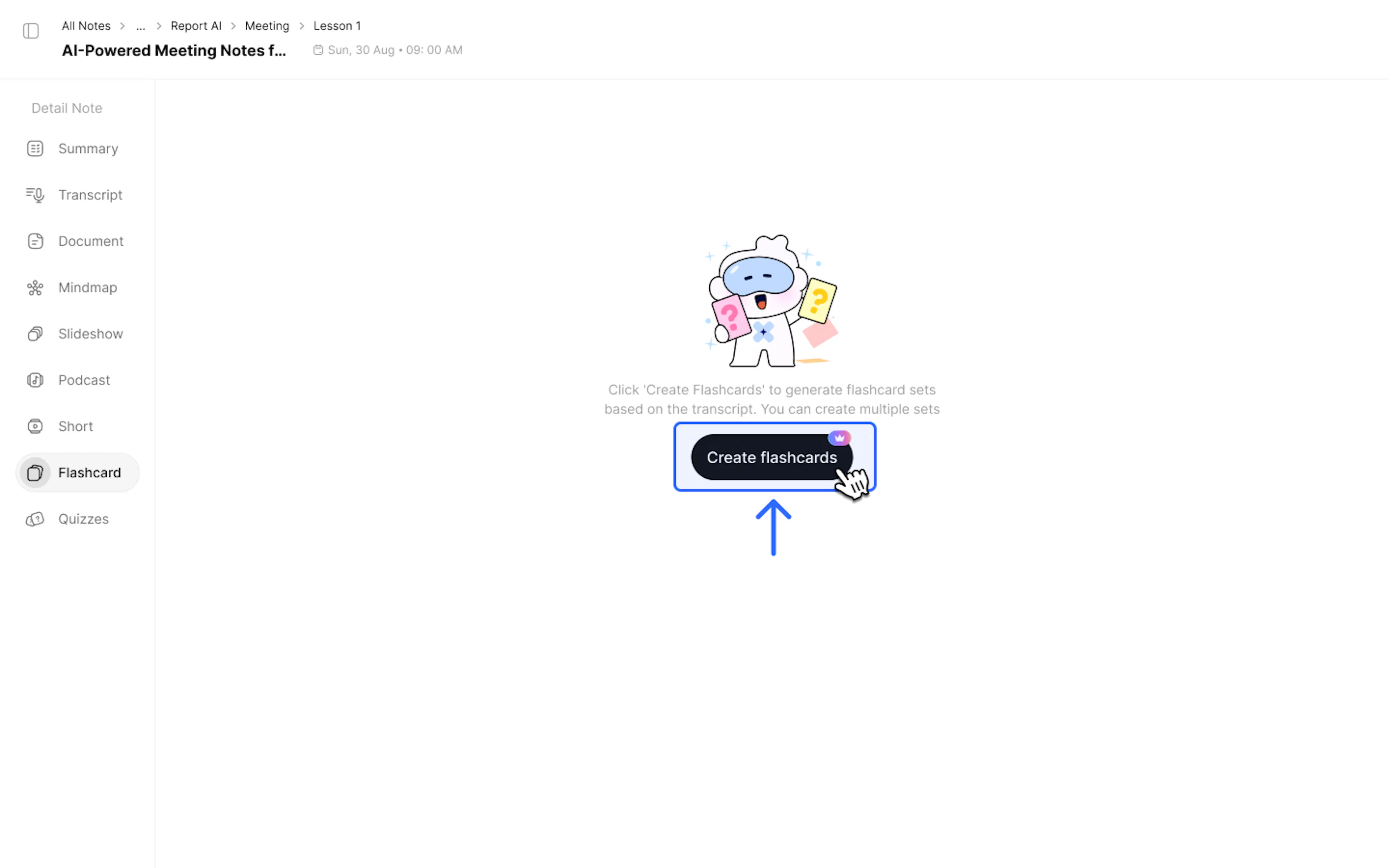
- In the Create flashcards panel:
- Card count: Select the number of flashcards.
- Card difficulty: Select the difficulty level (Easy, Medium, Hard, or Mixed).
- Topic (optional): You can enter specific points to emphasize or focus areas you want to review quickly (e.g., "Only focus on the discount section") to help the AI better understand the context.
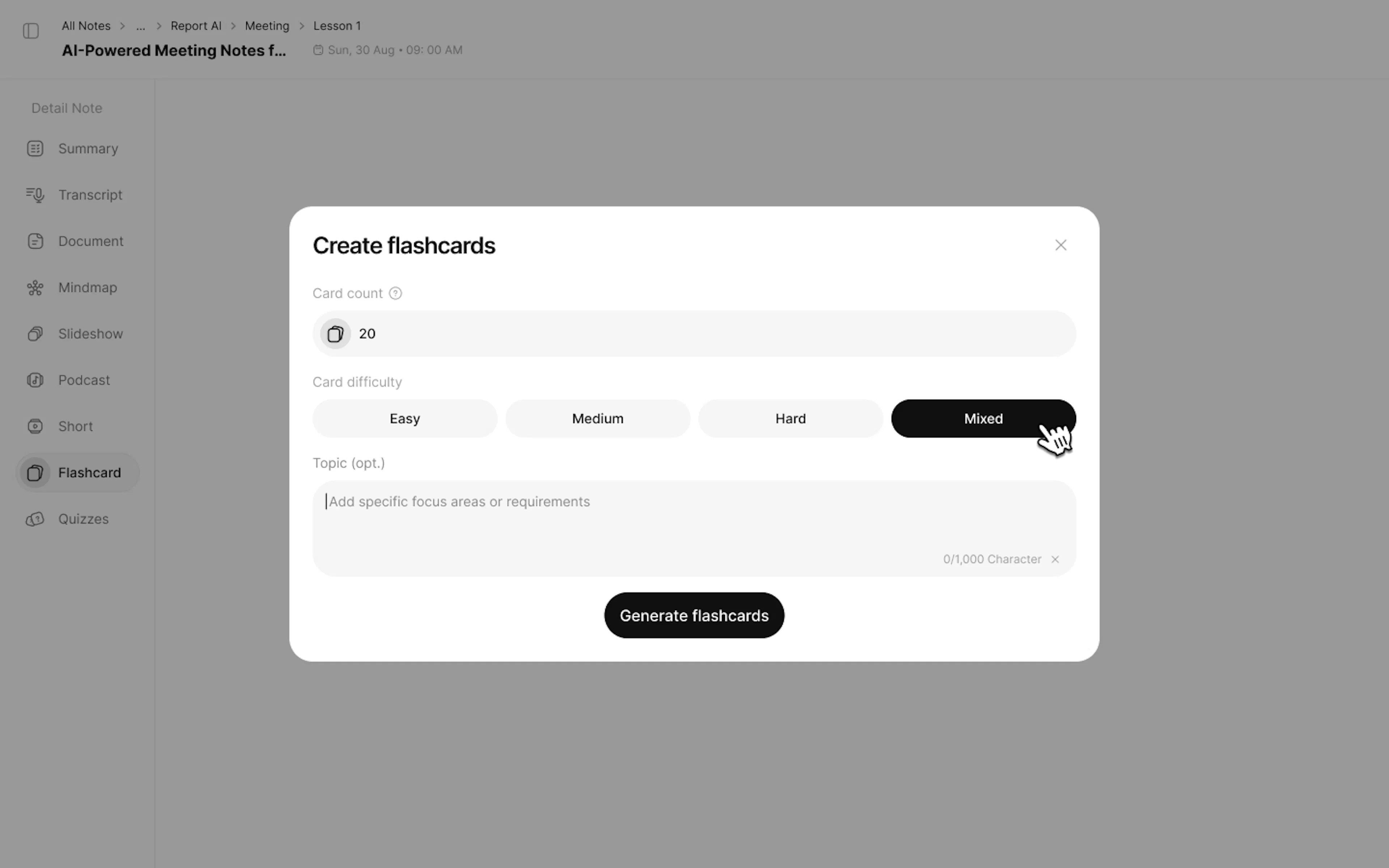
- Click Generate flashcards to create a double-sided card set (Question - Answer).
2. How to Use Flashcards
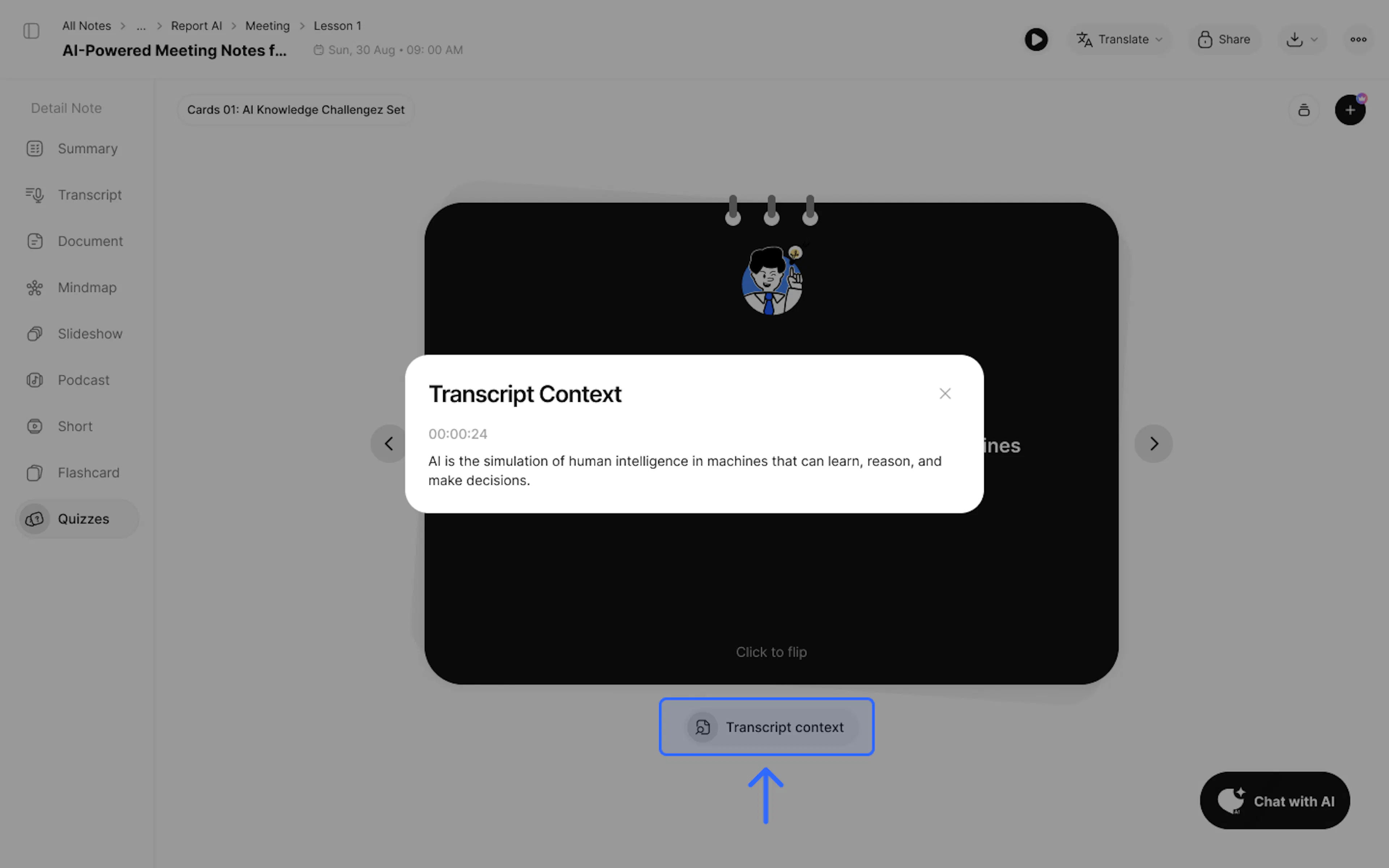
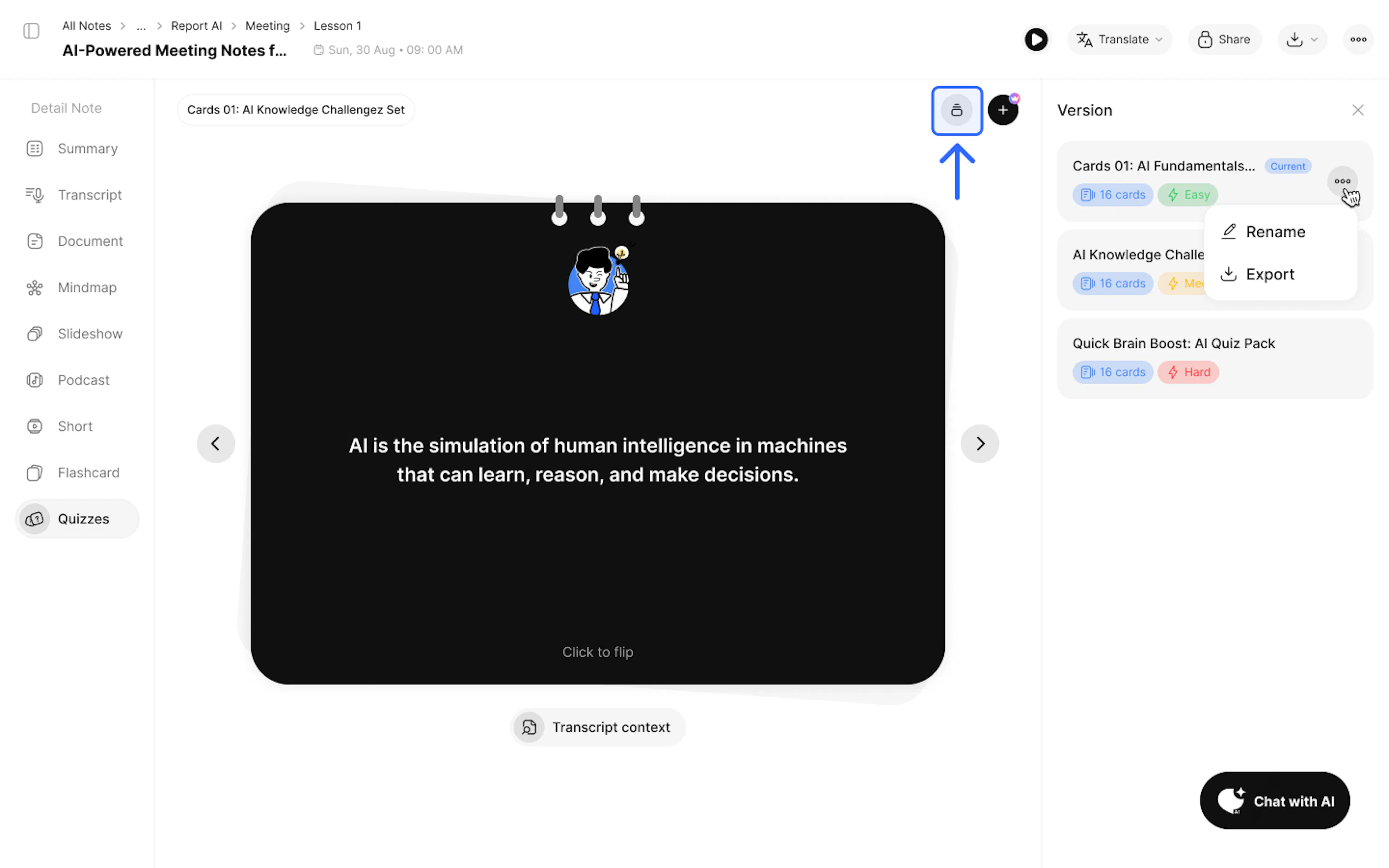
- View the question and click to flip to the answer.
Tip: Check the Transcript Context section below each answer to see the quoted text segment from your original notes.
- Click the + button in the top right corner of the Flashcards interface to create a new flashcard set.
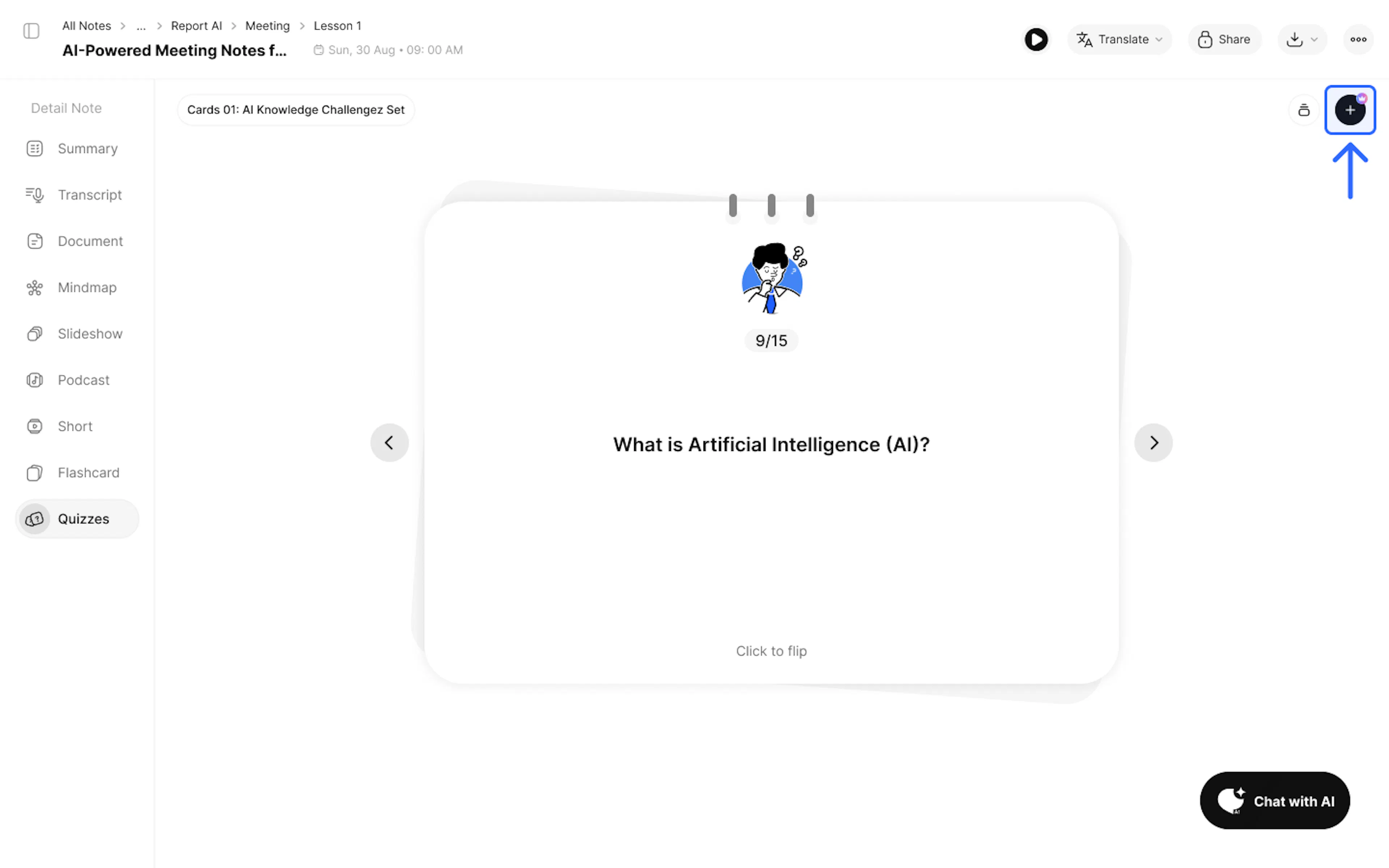
Note: Each user gets 1 creation turn; Pro users get 3 turns.
- Select the Version button to review and edit (rename, save) previously created versions.
3. Use Cases:
- Quickly learn specialized terms or new operating regulations in your work.
4. FAQ: Frequently Asked Questions
Q: What is the purpose of flashcards created from notes?
Flashcards are the optimal method for memorizing terms, definitions, formulas, or new vocabulary. The AI will automatically extract "Concept - Definition" or "Term - Explanation" information pairs from your notes to create double-sided cards (Front contains the question/term, Back contains the answer/explanation) to help you quickly grasp the information.
Q: Can I export this data?
Yes, use the Export / Download feature.
5. Contact Support
If you need any further assistance, please do not hesitate to contact us via:
- Product support & bug reports: support@notexapp.com
- Partnerships & general inquiries: hello@notexapp.com
Was this page helpful?