

Quizzes
Test your own or your team's understanding of topics after a project or a training session.
1. Step-by-Step Creation Guide:
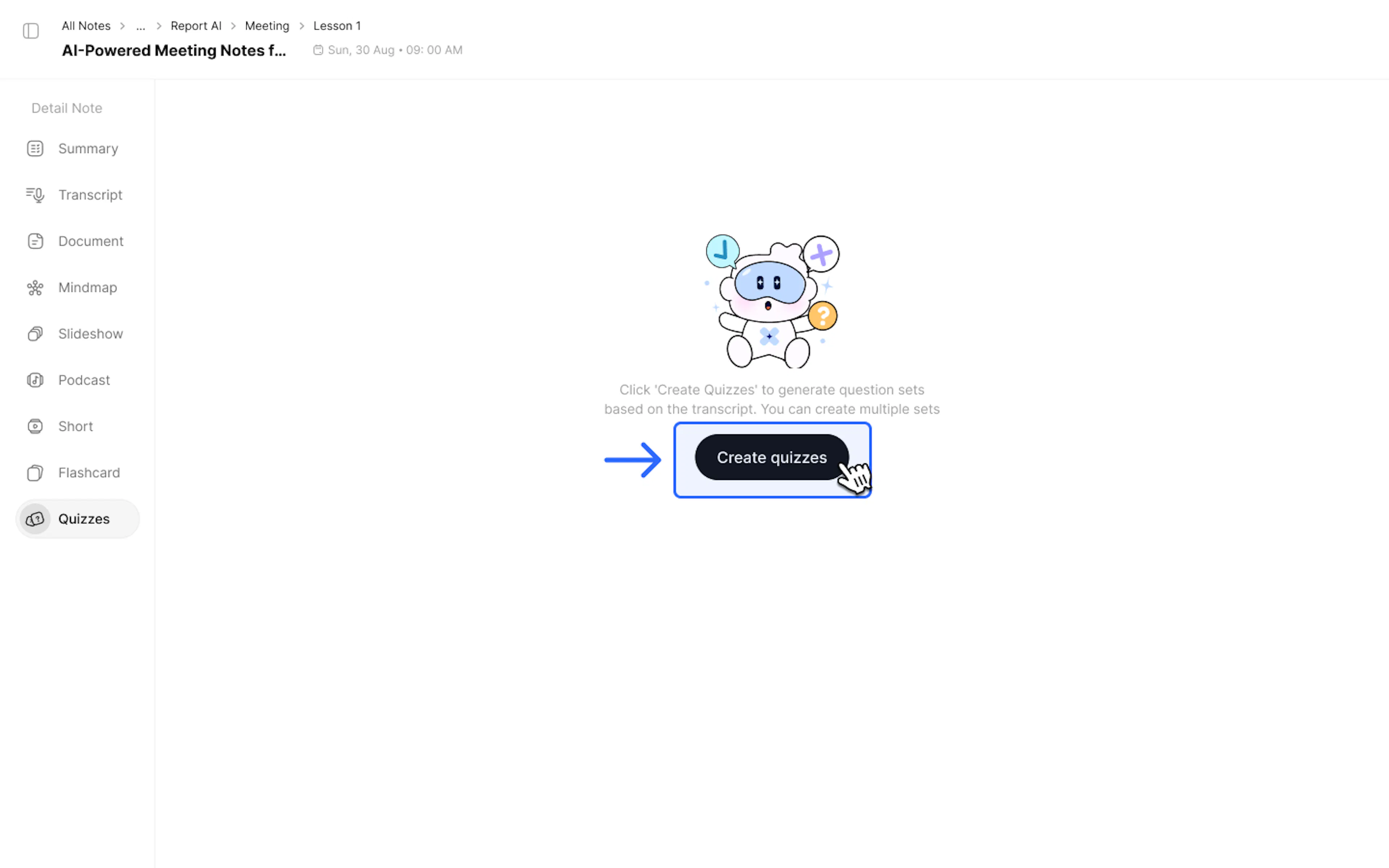
- Select the Quizzes tab on the left sidebar of your note.
- Click Create quizzes
- In the Create quizzes panel:
- Quiz count: Select the number of questions.
- Quiz difficulty: Select the difficulty level (Easy, Medium, Hard, or Mixed).
- Topic (optional): You can enter specific points to emphasize or focus areas you want to test (e.g., "Only focus on the discount section") to help the AI better understand the context.
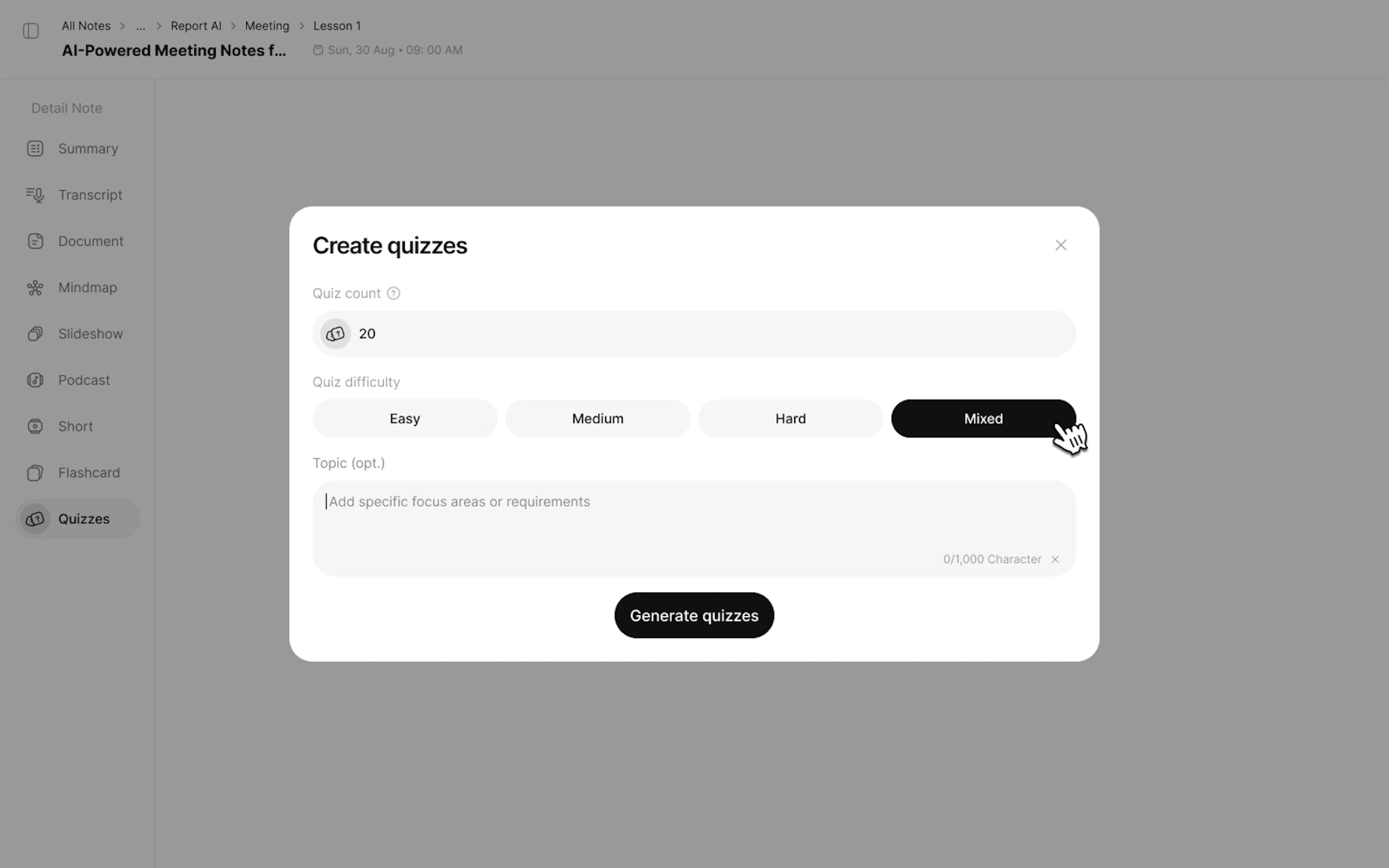
- Click Generate quizzes to create.
2. How to Take a Quiz:
- Answer the questions one by one until finished.
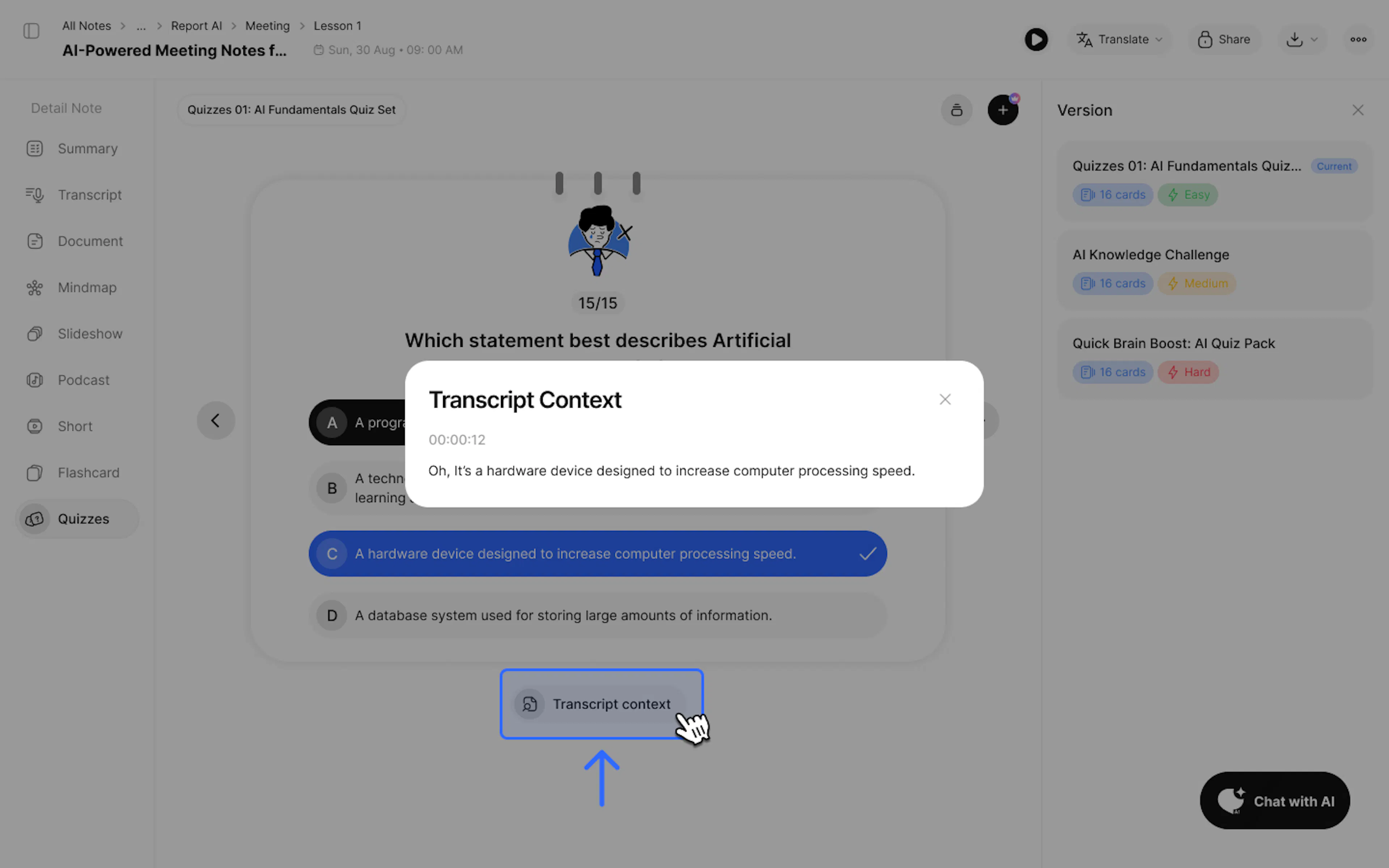
Tip: Check the Transcript Context section below each question to see the quoted text segment from your original notes.
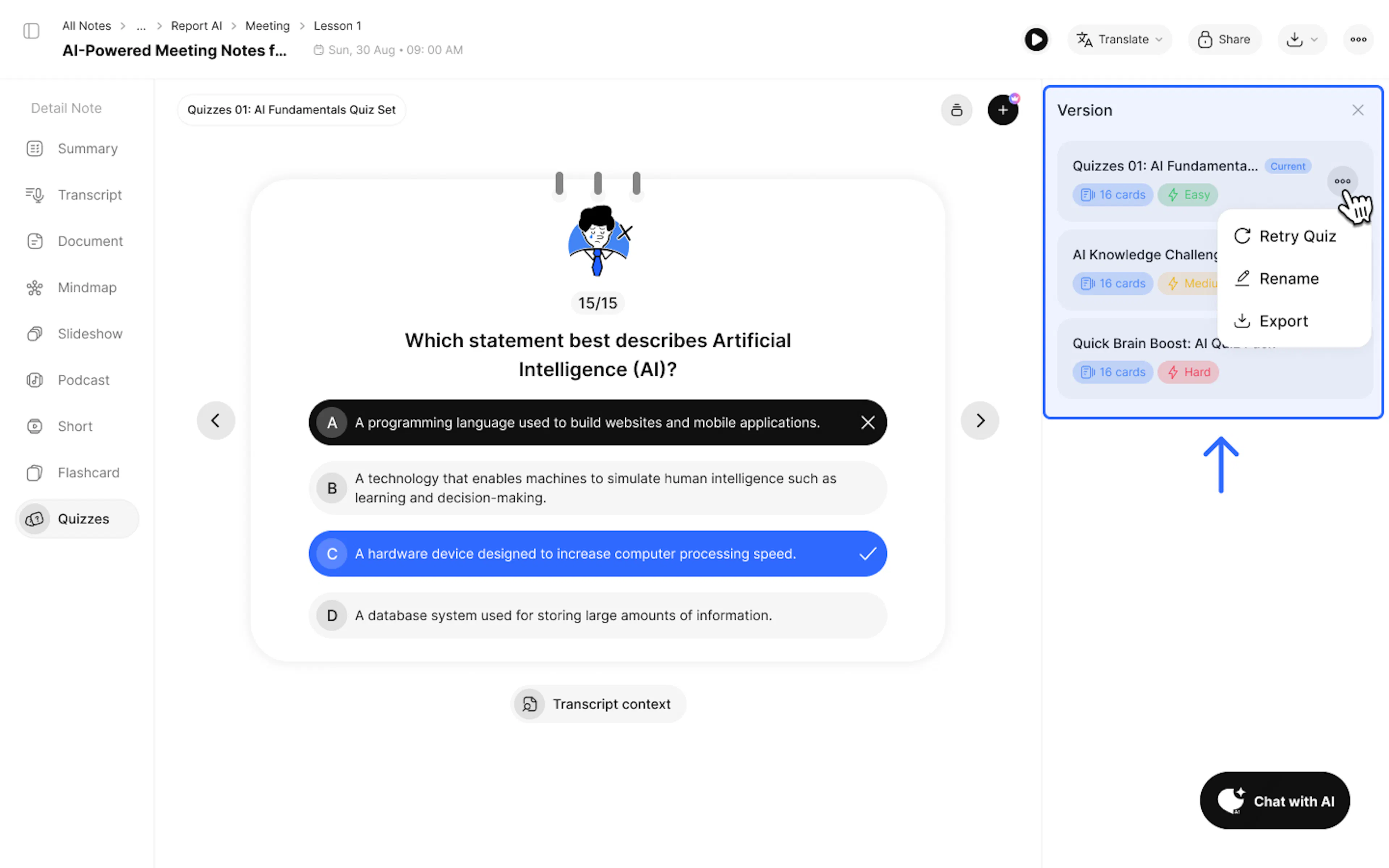
- After completing the quiz, you can choose to try again (Retry Quiz) or generate a new set of questions (Generate New).
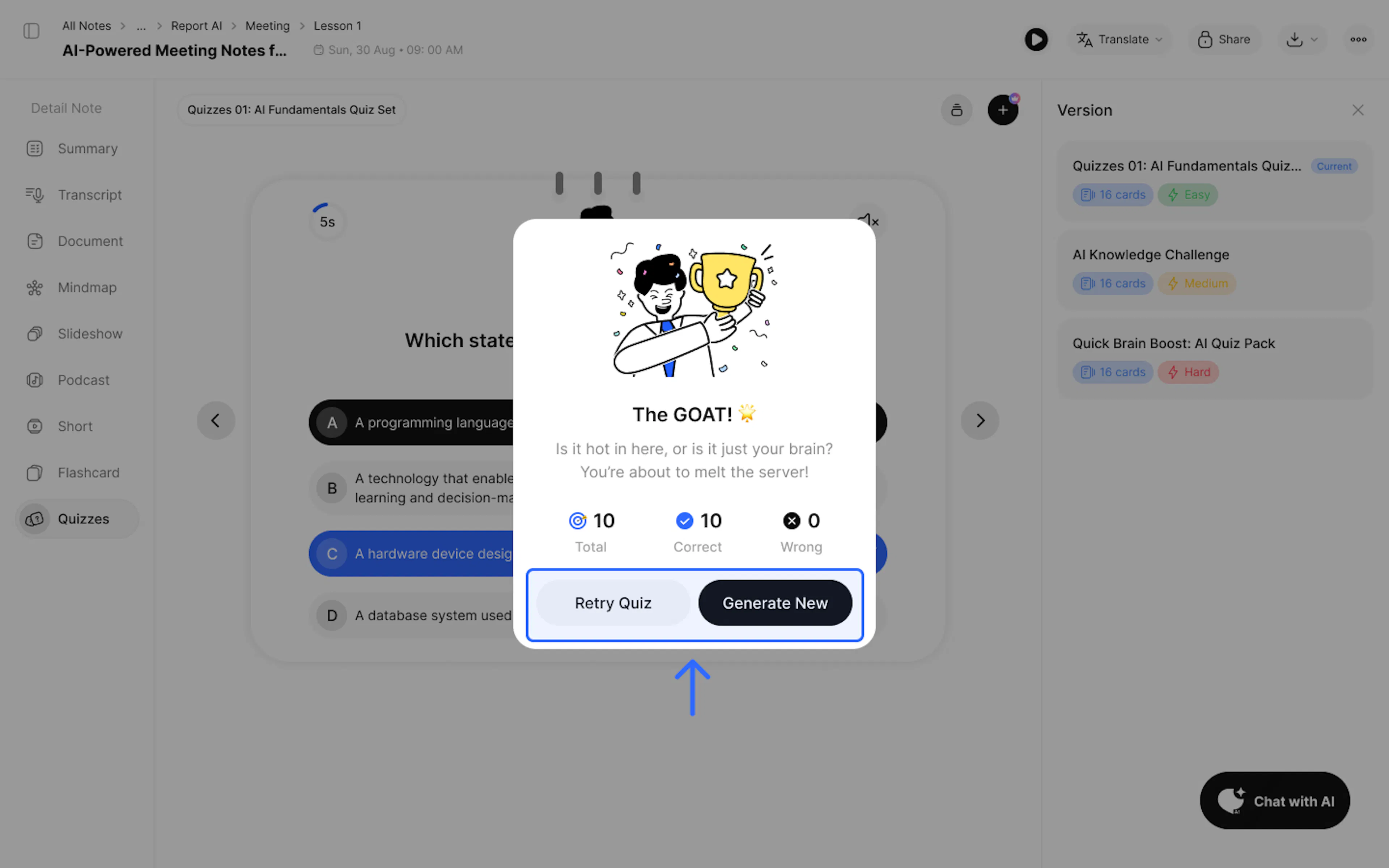
- Retry Quiz: Restart the quiz from the beginning (unlimited retries).
- Generate New: Generate a brand-new set of quiz questions.
Note: Each user gets 1 quiz creation turn; Pro users get 3 turns.
- Review and manage (rename, retry, save) your created quizzes in the Version section.
3. Use Cases
- Knowledge Assessment
4. FAQ: Frequently Asked Questions
Q: Does this feature grade the quiz and save my progress history?
Yes. Upon completing the quiz, you will receive an instant score, with correct/incorrect answers shown after each attempt, accompanied by detailed explanations for each question. Your quiz set will be saved in the Version history.
Q: What can I customize when creating a quiz?
You can fully customize your quiz by:
- Choosing the number of questions to generate (5, 10, 20 questions...).
- Selecting the difficulty level: Easy, Medium, Hard, or Mixed to challenge yourself.
- Adding an optional Topic to focus on a specific segment of content within your notes.
Q: Can I export this data?
Yes, you can use the Export feature to download the quiz in PDF (.pdf) and Word (.docx) formats.
5. Contact Support
If you need any further assistance, please do not hesitate to contact us via:
- Product support & bug reports: support@notexapp.com
- Partnerships & general inquiries: hello@notexapp.com
Was this page helpful?